

Hey there! I'm a supplier of laser cutting machines, and I often get asked about how to convert design files to a suitable format for these machines. It's a crucial step in the laser cutting process, so I'm here to break it down for you.
First things first, let's talk about why file format matters. Laser cutting machines work by reading the design file and translating it into precise cutting instructions. If the file format isn't compatible, the machine won't be able to understand the design, and you'll end up with a sub - par result or no cut at all.
Common File Formats for Laser Cutting
There are several file formats that are commonly used for laser cutting. The most popular ones include DXF, AI, and SVG.
DXF (Drawing Exchange Format)
DXF is a widely recognized format in the manufacturing industry. It's great because it can store 2D and 3D design data, and it's compatible with a large number of design software and laser cutting machines. Most CAD (Computer - Aided Design) programs can export files in DXF format. If you're using software like AutoCAD, exporting to DXF is a breeze. Just go to the "File" menu, select "Save As", and choose DXF from the list of available formats.
AI (Adobe Illustrator)
AI files are native to Adobe Illustrator, a powerful graphic design software. Many designers prefer to work in Illustrator because of its advanced drawing and editing tools. When you're ready to send your design to a laser cutting machine, you can export the file in AI format. However, it's important to note that some older laser cutting machines might not support AI files directly. In that case, you can convert it to a more universal format like DXF or SVG.
SVG (Scalable Vector Graphics)
SVG is an XML - based vector image format. It's highly scalable, which means you can resize the design without losing any quality. SVG files are also lightweight and can be easily edited with text editors. Most modern web browsers can display SVG files, and many laser cutting machines can read them too. To export an SVG file, if you're using Inkscape (a free and open - source vector graphics editor), go to "File" > "Save As" and select SVG from the format options.
Converting Design Files
Now that you know the common file formats, let's talk about how to convert your design files.
Using Design Software
The easiest way to convert files is by using the design software you created the design in. For example, if you have a file in a proprietary format and you want to convert it to DXF, open the file in your CAD or graphic design software. Then, use the "Save As" or "Export" function to select the desired format. Make sure to check the settings during the export process. Some software allows you to adjust the precision, line thickness, and other parameters that can affect the quality of the laser cut.
Online Conversion Tools
If you don't have the appropriate software installed on your computer, there are plenty of online conversion tools available. Websites like Online - Convert.com and Zamzar.com can convert a wide range of file formats. Just upload your file, select the output format (e.g., DXF, SVG), and click the convert button. However, be cautious when using online tools, as they might have limitations on file size, and there could be security risks associated with uploading sensitive design files.
Preparing the Design for Laser Cutting
Once you've converted your file to the right format, there are a few more steps to prepare it for laser cutting.
Scaling
Make sure your design is the right size. Laser cutting machines have a specific working area, so you need to scale your design to fit within that area. You can do this in your design software by adjusting the dimensions of the design. For example, if your laser cutting machine has a working area of 1000mm x 600mm, and your design is too large, you can reduce the scale proportionally until it fits.
Line Thickness
In laser cutting, the line thickness in your design represents the cutting path. For most laser cutting machines, a thin line is preferred. A thick line might cause the laser to cut wider than intended. In your design software, you can adjust the line thickness to a value that's appropriate for your laser cutting machine. Usually, a line thickness of 0.01mm - 0.1mm works well.
Color Coding
Some laser cutting machines support color - coded cutting. You can assign different colors to different parts of your design, and the machine will cut each color with different settings. For example, you can use one color for cutting through the material and another color for engraving. Check your laser cutting machine's manual to see if it supports color - coded cutting and how to set it up.
Our Laser Cutting Machines
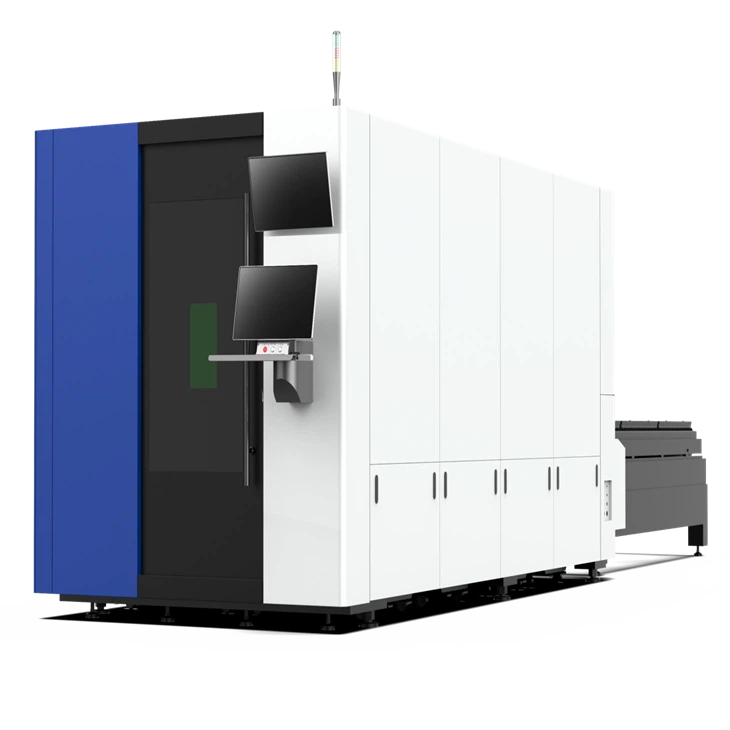
As a laser cutting machine supplier, we offer a range of high - quality machines that are compatible with various file formats. Our Fully Automatic Laser Cutting Machine is designed for maximum efficiency and precision. It can handle large - scale production with ease and is suitable for a wide range of materials, including metals, plastics, and wood.
If you're looking for a machine with a quick material exchange system, our Exchange Platform Laser Cutting Machine is a great choice. It allows you to swap materials rapidly, reducing downtime and increasing productivity.
We also offer Handheld Laser Welding solutions for more flexible welding tasks. Whether you're working on small - scale projects or need to make on - the - spot repairs, our handheld laser welding machines are up to the task.
Contact Us for Purchase and Consultation
If you're interested in our laser cutting machines or have any questions about converting design files for laser cutting, don't hesitate to reach out. We're here to help you every step of the way, from choosing the right machine to getting your designs ready for cutting. Whether you're a small - business owner, a hobbyist, or part of a large manufacturing company, we have the expertise and products to meet your needs.
References
- "Laser Cutting Handbook" by John Doe
- "CAD/CAM for Laser Cutting" by Jane Smith
- Online resources from major laser cutting machine manufacturers