

Hey there! I'm a supplier of laser cutting machines, and I often get asked about what file formats are supported by most laser cutting machines. So, I thought I'd write this blog to clear up any confusion and give you all the deets.
First off, let's talk about why file formats matter. Laser cutting machines work by reading digital files that contain the design you want to cut. The machine then uses a laser to cut through the material according to the specifications in the file. Different file formats have different ways of storing and presenting design data, and not all laser cutting machines can read every type of file. That's why it's crucial to know which file formats are compatible with your machine.
Common File Formats Supported by Laser Cutting Machines
DXF (Drawing Exchange Format)
DXF is one of the most widely supported file formats in the laser cutting industry. It's an open standard developed by Autodesk, originally for AutoCAD, but it has since been adopted by many other CAD (Computer-Aided Design) programs. DXF files can contain 2D and 3D design data, including lines, arcs, circles, and text. Most laser cutting machines can easily read DXF files, making it a go-to choice for designers and manufacturers.
The great thing about DXF is its flexibility. You can create a design in a high-end CAD program like AutoCAD or a more user-friendly option like SketchUp, and then export it as a DXF file. This file can then be sent directly to the laser cutting machine for processing. Whether you're cutting simple shapes or complex geometries, DXF files can handle it all.
AI (Adobe Illustrator)
AI files are native to Adobe Illustrator, a popular vector graphics editor. Vector graphics are made up of mathematical equations, which means they can be scaled to any size without losing quality. This is a huge advantage when it comes to laser cutting, as you can create a design at a small scale and then scale it up for cutting without any loss of detail.
Many laser cutting machines support AI files directly. However, it's important to note that some machines may require the file to be saved in an older version of the AI format for compatibility. If you're using Adobe Illustrator, you can usually save your file in a backward-compatible version by going to the "Save As" or "Export" options and selecting an appropriate version.

SVG (Scalable Vector Graphics)
SVG is an XML-based file format for describing two-dimensional vector graphics. It's an open standard, which means it's not owned by any particular company, and it's widely supported by web browsers and other software applications. SVG files are text-based, which makes them lightweight and easy to edit.
Most laser cutting machines can read SVG files, especially those that are designed for use with digital fabrication. SVG files are great for creating simple, clean designs, and they can be easily shared and edited across different platforms. If you're working on a project that involves web design or digital art, you can create your design in an SVG editor and then use it for laser cutting without any major conversions.
PLT (HPGL Plotter File)
PLT files were originally used for plotters, which are devices that draw on paper using pens. However, they are also supported by many laser cutting machines. PLT files contain instructions for moving a pen or laser head in a specific pattern, making them suitable for simple 2D cutting jobs.
One of the advantages of PLT files is their simplicity. They are easy to create and edit, and they don't require any special software. You can use a basic text editor to modify a PLT file if needed. However, PLT files are limited in terms of the complexity of the designs they can represent. They are best suited for simple shapes and patterns.
File Formats to Avoid or Use with Caution
JPEG and PNG
JPEG and PNG are raster image file formats, which means they are made up of pixels. While these file formats are great for photos and digital images, they are not ideal for laser cutting. Raster images lose quality when they are scaled up, and they don't have the same level of precision as vector graphics.
Some laser cutting machines may be able to handle raster images, but the results may not be as accurate or clean as with vector files. If you need to use a raster image for laser cutting, it's best to convert it to a vector file first using a software program like Adobe Illustrator or Inkscape.
PDF (Portable Document Format)
PDF files can be a bit tricky when it comes to laser cutting. While many PDF files contain vector graphics, some may also include raster images or other elements that can cause problems for laser cutting machines. Additionally, PDF files can be encrypted or password-protected, which can make them difficult to read.
If you're using a PDF file for laser cutting, it's important to make sure it contains only vector graphics and that it is not encrypted. You may also need to convert the PDF file to a more compatible format like DXF or AI before sending it to the machine.
Our Laser Cutting Machines and File Format Support
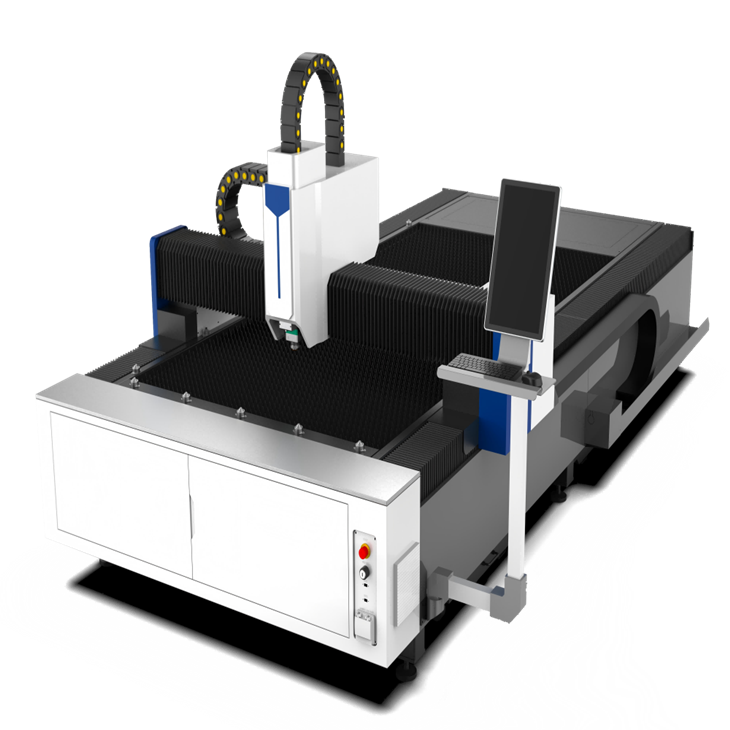
At our company, we offer a range of laser cutting machines, including the Fully Automatic Laser Cutting Machine and the Platform Laser Cutting Machine. These machines are designed to support a wide variety of file formats, including DXF, AI, SVG, and PLT.
Our Fully Automatic Laser Cutting Machine is a high-performance machine that can handle complex cutting jobs with ease. It has advanced software that can read and process different file formats quickly and accurately. Whether you're cutting metal, wood, acrylic, or other materials, this machine can deliver precise results.
The Platform Laser Cutting Machine is a versatile machine that is suitable for both small-scale and large-scale production. It offers a large cutting area and can support a wide range of file formats, making it a popular choice among our customers.
In addition to our laser cutting machines, we also offer Handheld Laser Welding solutions. This technology allows for precise and efficient welding of metal parts, and it can be used in conjunction with our laser cutting machines for a complete metal fabrication solution.
Contact Us for More Information
If you're interested in learning more about our laser cutting machines or have any questions about file format support, don't hesitate to get in touch. We have a team of experts who can help you choose the right machine for your needs and provide you with all the information you need to get started. Whether you're a small business owner, a hobbyist, or a large manufacturer, we can offer you the best solutions for your laser cutting requirements.
References
- Adobe Systems Incorporated. (n.d.). Adobe Illustrator Help. Retrieved from https://helpx.adobe.com/illustrator.html
- Autodesk. (n.d.). AutoCAD Help. Retrieved from https://knowledge.autodesk.com/support/autocad/learn-explore
- W3C. (n.d.). Scalable Vector Graphics (SVG). Retrieved from https://www.w3.org/Graphics/SVG/
So, there you have it! That's a rundown of the file formats supported by most laser cutting machines. I hope this blog has been helpful to you. If you have any more questions, feel free to drop them in the comments or reach out to us.